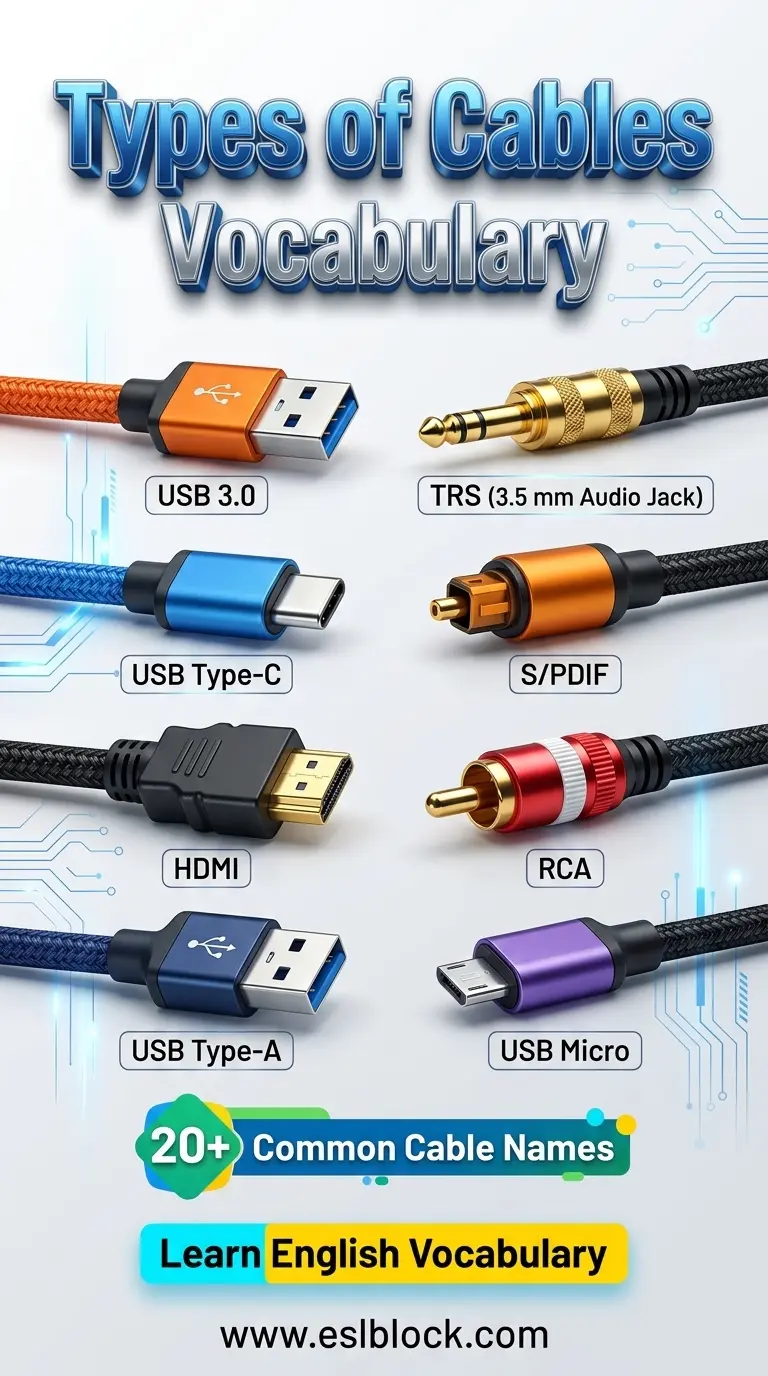
Types of Cables Vocabulary: 8 Common Cable Names in English
The TV suddenly went silent.
The picture was still there. But the sound had vanished. One tiny cable had come loose. That was all it took.
Moments like this remind us how important cables really are. We use them every day without thinking. Learning Types of Cables Vocabulary helps you understand the devices around you and makes everyday technology a little less mysterious.
Types of Cables
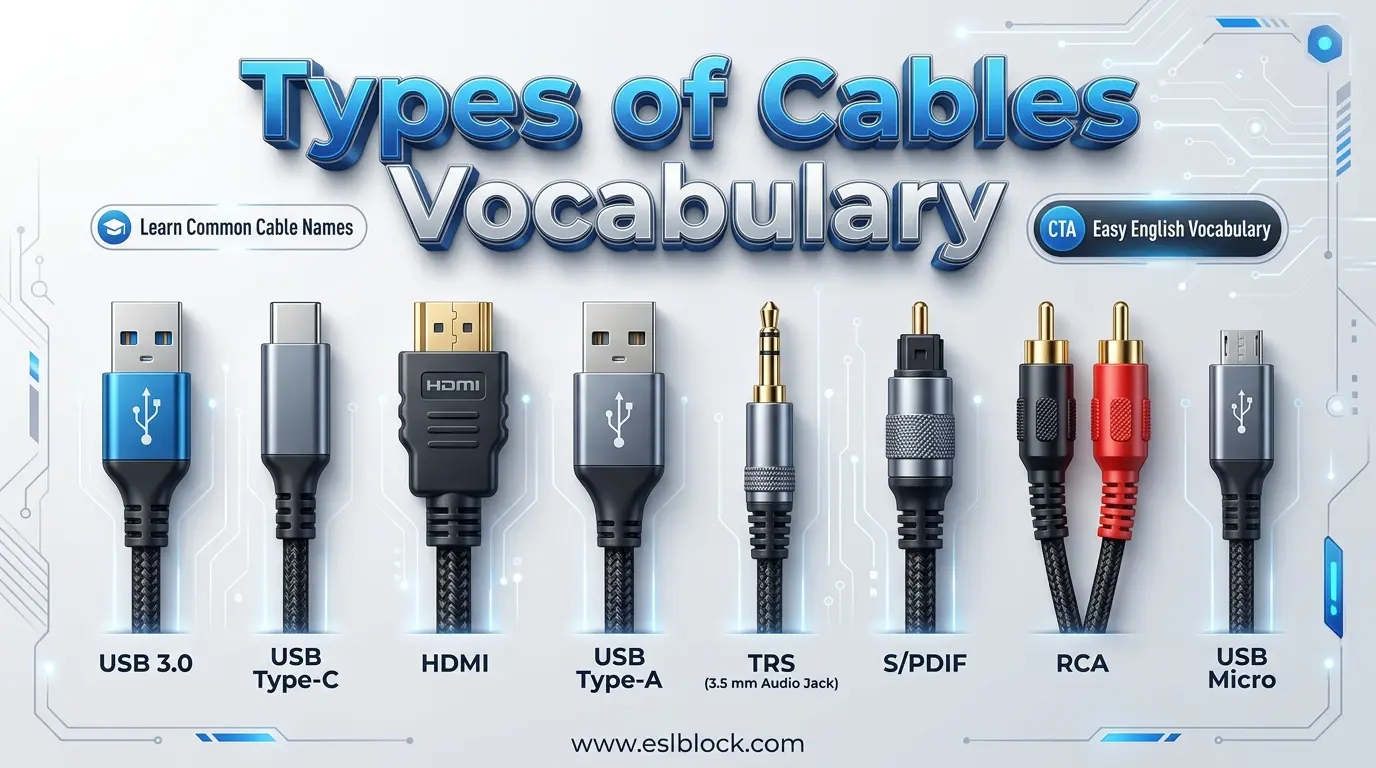
1. USB 3.0
(Pronunciation: Yoo-Ess-Bee Three Point Oh | Origin: USB 3.0 was introduced in 2008 as a faster version of the Universal Serial Bus standard.)
Picture this. You’re copying a huge video file. Instead of waiting forever, it finishes much faster. That’s the power of USB 3.0.
USB 3.0 cables usually have blue connectors and transfer data much faster than older USB versions. They also charge many devices efficiently. The USB 3.0 specification helped make file sharing quicker for millions of users.
Speed changes everything.
2. USB Type C
(Pronunciation: Yoo-Ess-Bee Type See | Origin: USB Type-C was released in 2014 as a reversible connector.)
Ever plugged in a charger the wrong way? Not anymore. USB Type-C works no matter which side faces up.
This small connector charges phones, tablets, laptops, and many other devices. It also carries data and video through one cable. The USB Type-C connector has quickly become the new standard for modern electronics.
One plug. No guessing.
3. HDMI
(Pronunciation: HD-mee | Origin: HDMI stands for High-Definition Multimedia Interface and was introduced in 2002.)
Movie night feels different when every color looks bright and every sound is crystal clear.
HDMI cables carry digital video and audio through a single connection. They are commonly used with televisions, monitors, gaming consoles, and projectors. Today’s digital display technology depends heavily on HDMI connections.
One cable does the work of many.
4. USB Type A
(Pronunciation: Yoo-Ess-Bee Type Ay | Origin: USB Type-A has been the standard USB connector since the mid-1990s.)
You’ll probably recognize this one right away. It’s the classic rectangular USB plug found almost everywhere.
USB Type-A connects keyboards, mice, flash drives, printers, and countless other accessories to computers. It became one of the most familiar computer connectors ever made because it was simple and dependable.
Some designs never get old.
5. TRS
(Pronunciation: Tee-Are-Ess | Origin: TRS stands for Tip, Ring, Sleeve, a design first used in telephone switchboards during the late 1800s.)
Look at a pair of wired headphones. That shiny metal plug at the end tells a long story. It may look tiny, but it carries sound to your ears every day.
TRS cables are widely used for headphones, microphones, musical instruments, and audio equipment. Their clever design separates audio signals into different sections. The TRS audio connector has been trusted by musicians and audio engineers for generations.
Small plug. Big sound.
6. S/PDIF
(Pronunciation: Ess-Pee-Diff | Origin: S/PDIF means Sony/Philips Digital Interface, introduced in the 1980s.)
Here’s the cool part. This cable sends digital sound without changing it into analog first. That’s why music can sound so clean.
S/PDIF cables connect televisions, DVD players, soundbars, and home theater systems. They deliver high-quality digital audio with very little signal loss. Many audio lovers still depend on the Sony/Philips Digital Interface for clear sound.
Every note matters.
7. RCA
(Pronunciation: Ar-See-Ay | Origin: Named after the Radio Corporation of America, which popularized the connector in the 1940s.)
Remember the red, white, and yellow plugs behind old televisions? Those colorful connectors were RCA cables.
RCA cables carry audio and video signals between DVD players, TVs, speakers, and game consoles. Even though HDMI is more common today, RCA connectors are still found on many older devices.
Classic colors. Classic connection.
8. USB Micro
(Pronunciation: Yoo-Ess-Bee MY-kro | Origin: Micro-USB became a standard connector for mobile devices in the late 2000s.)
Before USB Type-C arrived, this little connector charged millions of phones around the world. Chances are you’ve used one before.
USB Micro cables charge smartphones, Bluetooth speakers, power banks, cameras, and many other portable devices. Although newer connectors are replacing it, the Micro-USB standard is still found on countless electronics.
Tiny connector. Huge legacy.
Technology is easier to understand when you know the names of everyday parts. If you enjoy learning vocabulary like this, you may also like Parts of the Hand Vocabulary, Human Body Organs, Parts of the Brain Vocabulary, and Body Parts Names in English.
Final Thoughts
Every cable has a purpose, even if it looks similar to the next one. Once you learn these names, you’ll notice them everywhere—behind your TV, beside your computer, and inside your backpack.
Sometimes the smallest connection makes the biggest difference.